
Introduction
If you’ve played Mabinogi for any length of time, you’ve probably heard the term lazy patch mentioned in community forums or modding discussions. The mabinogi lazy patch refers to a popular modding technique used by players to customize their game client without directly editing original game files. Instead of permanently replacing assets, the lazy patch system loads modified files separately, allowing users to add visual changes, interface tweaks, and quality-of-life improvements.
For many players, this system offers a safer and more flexible way to experiment with modifications while keeping the base game intact. However, it’s important to understand how it works and the potential risks involved. In this guide, we’ll break down what the lazy patch is, how players use it, and whether it’s worth trying.
What Is the Mabinogi Lazy Patch?
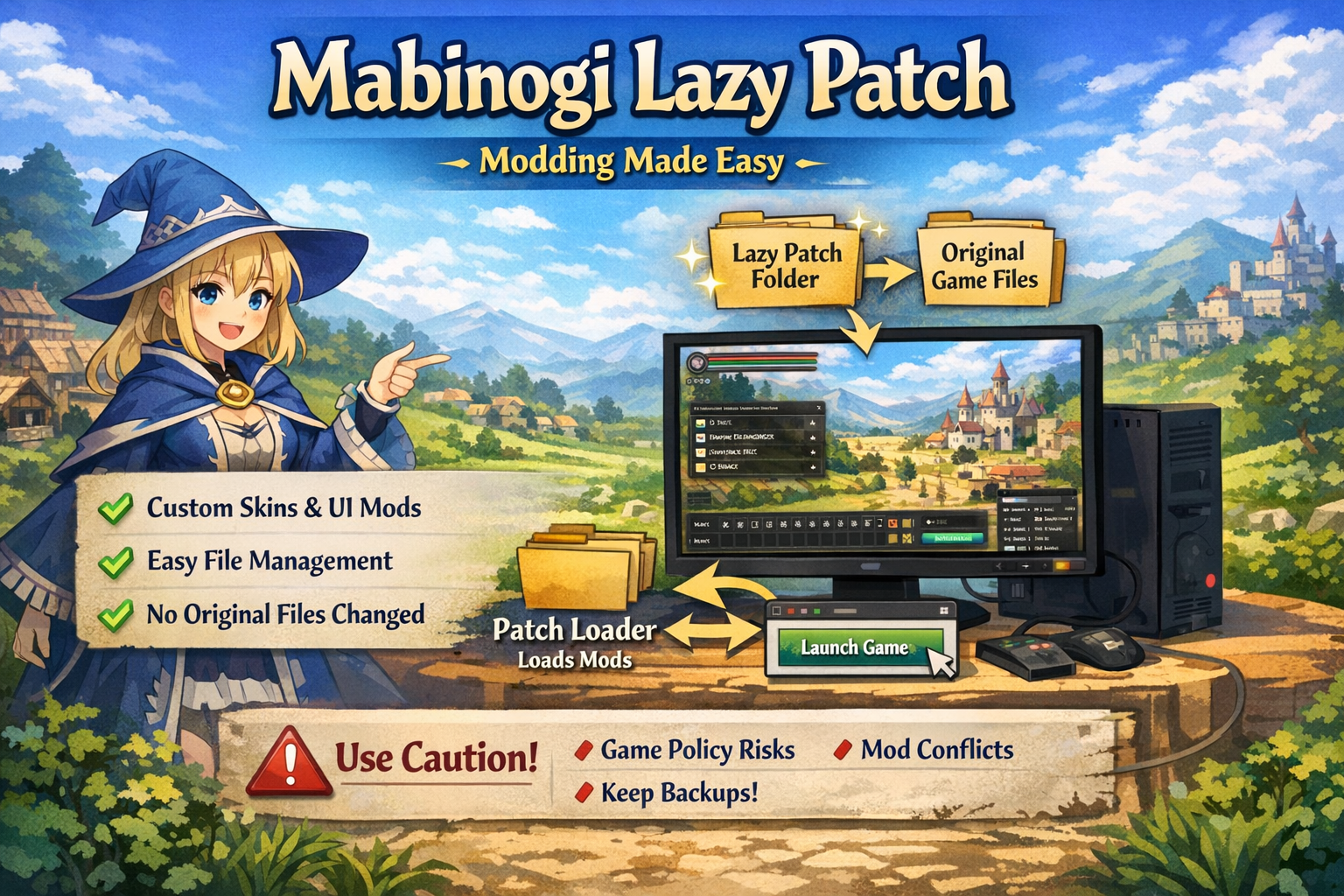
The mabinogi lazy patch is a modding framework used by players to load custom files into the game without replacing the original game data. Instead of directly editing the core game resources, the lazy patch system tells the game to load additional files stored in a separate folder.
This approach has become popular among modders because it’s simple and reversible. If you want to remove a modification, you can usually do so by deleting or disabling the added file instead of reinstalling the entire game.
Lazy patch systems typically rely on a loader or patch manager that runs alongside the game. When the game launches, the patch manager injects custom resources such as textures, interface files, or sound modifications.
Some common things players modify with lazy patch tools include:
-
User interface layouts
-
Character textures and cosmetics
-
Item icons
-
Sound effects and music
-
Quality-of-life UI adjustments
Because the original files remain untouched, the lazy patch approach makes experimenting with modifications much easier. Players can test different mods without worrying about permanently damaging their game installation.
How the Lazy Patch System Works
Understanding how the mabinogi lazy patch works can help you decide whether it’s right for your gameplay experience.
Normally, games load assets directly from their official data files. When modders want to change something, they might replace those files. However, replacing them can cause problems when the game updates or when files become corrupted.
Lazy patching works differently.
Instead of replacing files, the system redirects the game to load modified versions stored in a separate directory. When the game looks for a particular resource, the patch loader checks the custom folder first. If it finds a modified file there, it loads that version instead of the original.
This method creates a layered file system, where custom files override default ones temporarily.
Key components of a typical lazy patch setup include:
-
Patch loader: A small program that runs before the game
-
Custom file folder: Where modified files are stored
-
Configuration settings: Tell the loader which files to override
Because everything runs externally, players can easily enable or disable modifications. This flexibility is one of the biggest reasons lazy patch systems became popular among the Mabinogi modding community.
Benefits of Using a Lazy Patch
There are several reasons players choose to use the mabinogi lazy patch system rather than traditional file editing.
Easy Mod Management
Lazy patching allows players to add or remove modifications without reinstalling the entire game. If a mod doesn’t work properly, you can simply delete the file or disable it.
Reduced Risk to Game Files
Since the original game files remain untouched, there’s less risk of corrupting the game client. This makes the system safer than direct modification.
Better Compatibility with Updates
Game updates can overwrite modified files. Because lazy patches load externally, updates usually won’t remove your custom modifications. However, some mods may still break if the game structure changes.
More Customization Options
Many players use lazy patches to personalize their experience. From improved UI layouts to cosmetic changes, the possibilities can significantly enhance gameplay comfort.
For players who enjoy modding or experimenting with visuals, the lazy patch system provides a flexible and convenient solution.
Potential Risks and Things to Consider
While the mabinogi lazy patch system offers many advantages, it’s important to understand the potential downsides.
Game Policy Concerns
Some online games restrict modifications. Using unofficial patches could violate the game’s terms of service depending on the modification type.
Security Risks
Downloading patch tools or mods from untrusted sources can expose your computer to malware or corrupted files. Always verify the source before installing any modding tool.
Compatibility Issues
Certain patches may conflict with others, causing crashes or unexpected behavior. If you install multiple modifications, you may need to troubleshoot compatibility problems.
Game Updates
Even though lazy patches are more resilient than direct edits, major game updates can still break mods. When this happens, players usually need to wait for updated patch files.
To minimize these risks, it’s best to stay informed through community forums and only use well-known modding tools.
How Players Install a Lazy Patch
Although installation steps vary depending on the specific patch tool, the general process for installing a mabinogi lazy patch follows a similar pattern.
-
Download a trusted patch loader used by the modding community.
-
Create or locate the patch folder where custom files will be stored.
-
Add the desired modification files to that folder.
-
Run the patch loader before launching the game.
-
Launch the game client and check if the modifications are active.
Most modding guides include step-by-step instructions and compatibility notes. Beginners should always follow installation instructions carefully to avoid errors.
Another good practice is to back up your game folder before installing any patches. This ensures you can restore the original files if something goes wrong.
Conclusion
The mabinogi lazy patch system has become a popular way for players to customize their game experience without permanently altering the original client. By loading modified files externally, lazy patches provide flexibility, easier mod management, and reduced risk to core game files.
However, like any form of game modification, it comes with potential risks. Players should always check the game’s rules, download tools from trusted sources, and understand that updates may affect compatibility. When used responsibly, lazy patching can enhance the game with helpful interface improvements and visual tweaks while keeping the base installation safe.
For players interested in modding, learning how lazy patches work is a great first step toward personalizing their Mabinogi adventure.
FAQs
What is the purpose of a Mabinogi lazy patch?
The purpose of a lazy patch is to allow players to load custom modifications without replacing the original game files. It acts as a temporary override system for game resources.
Is using a lazy patch allowed in Mabinogi?
It depends on the game’s policies and the type of modification. Cosmetic or interface mods may be tolerated by the community, but players should always review official rules.
Can lazy patches break the game?
Yes, if incompatible mods are installed or the game updates significantly. Most issues can be fixed by removing the problematic patch files.
Do I need programming knowledge to use lazy patches?
Not usually. Most patch tools are designed to be user-friendly, and many guides explain the installation process step by step.
Can I remove a lazy patch easily?
Yes. In most cases, you only need to delete or disable the custom files from the patch folder, and the game will return to its default behavior.
 Ayesha Hussain